Sou

Minggu, 29 Juli 2012

Cheat Dragon City Farm, Money dan Habitat 2012


Tools :

  • Browser ( Mozilla Firefox , Google Chrome)
  • Cheat Engine [C.E]

1.Go ke Dragon City di facebook 2.Open CE (Cheat Engine)3.Click Mini cpu ikon di kiri atas cheat engine atau kotak kecil di bawah tab berkas4.Select-plugin_container.exe (firefox) atau chrome.exe (google chrome) di bawah rundll32.exe5.Value jenis dari 4byte untuk AOB6.Scan '46 41 52 4D 00 00 00 00 00 00 00 00 00 00 00 00 'berubah menjadi: 44 72 61 67 6F 6E 73 00 00 47 65 74 20 33 30 208. membangun pertanian dan melihat Batas jumlah Pertanian9.HAVE FUN

Penjelasan GINI KAMU SCAN(46 41 52 4D 00 00 00 00 00 00 00 00 00 00 00 00 ) TANPA KURUNG =LALU KAMU SERET SEMUA VALUE KE BAWAHSESUDAH ITU KAMUUBAH VALUE NYA( 44 72 61 67 6F 6E 73 00 00 47 65 74 20 33 30 20 )TANPA KURUNGLALU KAMU VISIT TEMEN KAMU BALIK LAGI KE PULAU KAMUKAMU AMBIL BUIL KAMU KLIK FARM


Dragon City Cheats – Habitat Hacks1.Go to Dragon City on facebook - click here
2.Open CE (Cheat Engine)
3.Click mini cpu icon at the top left of cheat engine or the small box under file tab
4.Select -plugin_container.exe(firefox) or chrome.exe(google chrome) under rundll32.exe
5.Value type from 4byte to text
6.Scan ‘HABITAT’
change to: infinite
8. 5.go visitt your friend then back to your city! build Habitat As many you want!!
9.HAVE FUN

Dragon City Money hack
1.Open CE(Cheat Engine)
2.Click mini cpu icon at the top left of cheat engine or the small box under file tab
3.Select -plugin_container.exe(firefox) or chrome.exe(google chrome) under rundll32.exe
4.Value type from 4byte to text
5.Scan ‘eggs’
6.change the value to: infinite
7.Go visitt your friend then back to your city! build Habitat As many you want!!


Go to breeding mountain! breed “Coral Dragon”
Combination Plant+water hack

1. Change value type to double
2. scan 1800 (30mins)
1h=3600
1h30m=5400
2h=7200
3h=10800
4h=14400
5h=18000
6h=21600
7h=25200
8h=28800
9h=32400
10h=36000
11h=39600
12h=43200

3if the hatchery say full! visit friend and back again tou your city!
wait 12h for hatch the egg! sell coral dragon=250k gold!
if u hatch 20 coral dragon! u got 5m!
Dragon City Money hack
1.Open CE(Cheat Engine)
2.Click mini cpu icon at the top left of cheat engine or the small box under file tab
3.Select -plugin_container.exe(firefox) or chrome.exe(google chrome) under rundll32.exe
4.Value type from 4byte to text
5.Scan ‘eggs’
6.Change the value to: infinite
7.Go visitt your friend then back to your city! build Habitat As many you want!!
Read More >>

Sabtu, 28 Juli 2012

Wow, Joe Taslim Diajak Main "Fast and Furious 6" Bareng Paul Walker & Vin Diesel!


joe-taslim-markuatSATU lagi bintang The Raid diajak main film Hollywood!
Setelah Iko Uwais diajak main Keanu Reeves di film Man of Tai Chi, gilian Joe Taslim gabung main Fast and Furious 6.
Dilaporkan Variety, Sabtu (28/7), Taslim telah diajak sutradara Justin Lin untuk ikut bermain franchise Fast and Furious. Dikatakan Variety, Lin mendapuk Taslim berperan sebagai Jah, sosok antagonis, seorang pembunuh berdarah dingin yang menggunakan kemampuan beladirinya melawan para jagoan di film ini, diperankan Paul Walker dan Vin Diesel.
Selain Walker dan Diesel, bintang lain yang juga kembali meramaikan franchise ini adalah: Dwayne Johnson, Jordana Brewster, Tyrese Gibson, dan Michelle Rodriguez. Nama lainnya yang juga disebut adalah Gina Carano dan Luke Evans.
Masih belum jelas seperti apa kisah filmnya, tapi sumber-sumber Variety mengatakan filmnya akan menceritakan perampokan di luar Amerika.
Taslim, mantan atlet Judo, angkat nama di Hollywood setelah The Raid, film karya Gareth Evans, tayang di AS (dengan judul The Raid: Redemption) dan menjadi cult hit.     
Fast and Furious 6 dijadwalkan rilis 24 Mei 2013
Read More >>

Minggu, 22 Juli 2012

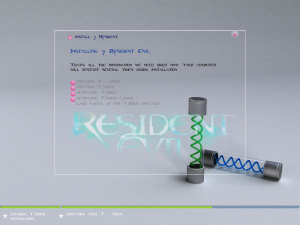
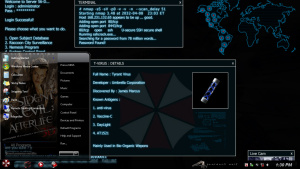
Windows 7 SP1 Resident Evil 64-bit

Windows 7 Resident Evil ini dibangun dari versi Ultimate yang berarsitektur 64-bit dengan update terakhir Service Pack 1 yang dibuat oleh Prince NRVL, Operasi Sistem ini juga masih bersifat trial dan harus menggunakan Windows 7 Loader untuk aktivasinya. Sedangkan untuk aplikasi tambahannya telah disiapkan antara lain
SOFTWARE
- Adobe flash player 10 Active x64
- Adobe flash plater 10 Plugin x64
- Adobe reader 9.4.0 Lite
- Adobe shock player 11.5
- Bitcomet 1.31 x64
- Easy BCD
- Google talk
- Imageshack uploader 2.2.0
- Java 6 Update 26 x64
- K Lite Codec pack 5.6.7 x64
- K Lite Mega Codec pack 8.1.7 (Updated)
- Malwarebytes 1.60.0.1400
- Media player classic – Home cinema 1.5.0.2827
- Microangelo On Display x64
- Microsoft.Net Framework 4 Client Profile
- Microsoft.Net Framework 4 Extended
- Microsoft C++ 2005 Redistributable
- Microsoft C++ 2005 Redistributable x64
- Microsoft C++ 2008 Redistributable 9.0.2 – 9.0.3 x64 & x86
- Microsoft C++ 2010 Redistributable 10.0.2
- Nightly 12.0a1 x64
- Theme resource changer x64 1.0
- UxStyle Core Beta
- VLC Media Player 1.1.11
- Windows 7 Resident Evil Boot Screen From Prince NRVL
- Windows 7 Start Button changer 1.0.0
- WinRAR 4.01 x64
- Yahoo messenger 11.5 (new)
Beberapa program Windows yang telah dihilangkan meliputi
- Games
- Indexing service
- Internet Explorer
- Print Document Settings
- Tablet PC Components
- XPS Service
- XPS Viewer
Tetapi settingan diatas dapat pula di enable kembali, dan untuk tweak diantaranya
- Added RUN on start menu
- Add change theme
- Add change wallpaper
- Add desktop icon settings
- Add MSCONFIG to right of my computer
- Advanced user accounting
- Cleartype view
- Copy to Move to on right click
- Disabled windows defender at startup
- Disable hibernate
- Disable UAC
- Disable windows media player autoupdate
- Disable Tool Tips
- Don’t mark new applications
- Enable AVALON effects
- Enable ClearType Tuning
- Enable DVD in media player
- Enable Glass Effect(DWM) without graphics card
- Enable MP3 Encoding on right click
- Enable slow motion windows effects
- Enable status bar in notepad
- Flip 3D effect (Same as windows switcher)
- Get rid of windows mail splash
- Give your self permission to modify all
- Grant full admin control
- Neo Reconia Sys Site direct link from right click (Firefox needed)
- Removed Action center Icon
- Windows speed tweakings (Prince NRVL Registry)
- Wait to kill service – 2000
- Low leve hooks time out – 1000
- Hung application time out – 1000
- Menu show delay – 0
- No low disk space warning
Untuk boot sendiri hanya memerlukan waktu sekira 5 detik dan untuk penginstalan windows membutuhkan waktu sebesar 10 menit itu juga jika spesifikasi PC atau Laptop anda tinggi. berikut pula untuk penambahan fitur pendukung terbaru yakni
- 3 New eye catching themes
- High resolution theme resources
- No issues with update on themes or boot
- Fixed delay time and also bug on updates
- Fixed bug on language stuffs
- New sound schemes
- New cursors
- New start up sound
- New start up ORB
- Ease Of Access applications for faster resource changes
- Soundtrax of Resident Evil and after life in autoplay folder of DVD
- New wallpapers
Perlu Anda ketahui juga ada beberapa aplikasi tambahan di dalam folder Document  yang dapat anda akses setelah instalasi Windows 7 Resident Evil:
- Black Glass
- Boot screen from Prince NRVL (3 Numbers by Prince NRVL, Silent install)
- Remove water mark x64 (Thanks to Michelle)
- Resident Evil Side bar Computer gadget (By Prince NRVL)
- Se7en Logon Changer 1.1
- Windows 7 Aero Blus Tweaker x64
- Windows 7 Boot Updater (Thanks to Jeff, Coder4Life)
- Windows Se7en Replacer (Thanks to XpTSP)
- Yahoo messenger Temp Cleaner (By Prince NRVL)
Screenshots
image host
image host 
 image host 

image host 
 image host 
 image host 
 image host 

image host 

image host 
 image host
image host
image host
image host 
 image host
image host
image host
image host
image host
Author : Prince NRVL
Code Name : 7 Resident Evil
Windows : Windows 7 ULTIMATE, SP1
Architecture : x64 (64 Bit OS)
License : 30-Day, Evaluation Copy
Shrine : http://neoreconiasys.com
Dedicated : Scott Leddon
7 Resident Evil – Windows 7 Ultimate – SP1 – x64 – Prince NRVL Torrent
  • Free Download Windows 7 SP1 Resident Evil 64-bit Torrent
PERHATIAN!

Untuk cara downloadnya Anda akan diarahkan ke adf.ly kemudian tunggu 5 detik dan cari tombol SKIP AD yang berada di sebelah kanan atas monitor anda.
Read More >>

Rabu, 11 Juli 2012

Reload JAGUAR - Mediafire


Tom Clancy's Ghost Recon: Future Soldier RiP - Indowebster
Reload JAGUAR - Mediafire | 906 MB


Reload-JAGUAR| Publisher: Mastiff |Genre: Action | Platform: PC | Size: 906MB | Release Date: 03-07-2012

RELOAD is the ultimate target shooting game. Participate in shooting drills that are used by elite military, law enforcement, or competition shooters. Shoot weapons ranging from popular sports shooting guns all the way up to heavy military weapons. Your targets are made of paper, wood, clay, and metal, and are never living things.

Features:
  1. 25+ Real Weapons including the AK47, Desert Eagle, the AA-12
  2. Experience guns like never before. Sniper training, hostage rescue training, pistol drills, grenade launcher training and much, much more.
  3. No human or animal targets! Scenarios feature simulated paper bad guys
  4. Online leaderboard and 1-4 player modes
Minimum Requirement:
  • Windows XP/Vista/7
  • Pentium 4 2.4 GHz
  • 2 GB RAM
  • 1 GB hard disk space
  • 256 MB Video Card (ATI Radeon 1700 or NVidia GeForce 6800)

Cara Install:
  1. Download Semua file
  2. Rename, ganti .ctg menjadi RAR
  3. Extract
  4. Mount atau bisa juga extract menggunakan PowerISO/UltraISO
  5. Jalankan reload_setup.exe, lalu install
  6. Tunggu sampai selesai
  7. Mainkan games


download games


password isalgames
www.isalgames.com
sumber: isalgames.com
Read More >>

Football Manager 2012 - MediaFire


Football Manager 2012 | 1.9 Gb


Football Manager 2012 allows you to take control of any club in over 50 nations across the world, including all of the biggest leagues across Europe.
You're in the hot-seat, which means you decide who plays and who sits on the bench, you're in total control of tactics, team-talks, substitutions and pitch-side instructions as you follow the match live with the acclaimed 3D match engine allowing YOU to make the difference!

System Requirement:
  • OS: Windows XP, Windows Vista or Windows 7
  • Processor: XP – 1.4GHz or Faster, Vista/W7 – 2.0GHz or Faster. Intel Pentium 4, Intel Core, AMD Athlon.
  • Memory : XP – 512MB RAM, Vista/W7 – 1.0GB RAM
  • Graphics : 128MB
  • Supported Chipsets – Nvidia FX 5900 Ultra or greater; ATI Radeon 9800 or greater; Intel 82915G/82910GL or greater.
  • Earlier cards may only display 2D Match Viewer Mode and are not supported.
  • Laptop versions of these chipsets may work but are not supported.
  • Hard Drive : 2.5 GB
  • Sound : DirectX 9.0c compatible
  • LAN : TCP/IP compliant


screens isalgames


download games
Mediafire Link :
Part 1 | Part 2 | Part 3 | Part 4 |
Part 5 | Part 6 | Part 7 | Part 8 | Part 9 | Part 10


password isalgames
www.isalgames.com
Read More >>

Command & Conquer : Generals Zero Hour - Indowebster


Command & Conquer : Generals Zero Hour - Mediafire
Command & Conquer : Generals Zero Hour | 971.96 Mb


Platform: PC
Genre: Strategy
Developer: EA Los Angeles
Publisher: Electronic Arts
Release Date: 22 September 2003

Zero Hour fundamentally improves the core game, and it should ensure that Command & Conquer: Generals continues to be popular well into the next year.


Hardware Requirements :
System: 800 MHz Intel Pentium III or AMD Athlon processor or equivalent
RAM:128 MB RAM
CD-ROM: 8X CD-ROM
Video Memory: 32 MB VRAM
Hard Drive Space: 2750 MB
Mouse: Yes
Sound Board: Yes
DirectX: DirectX v8.1

Recommended System Requirements :
System: 1.8 GHz or faster Intel Pentium IV or AMD Athlon processor or equivalent
RAM: 256 MB RAM
3D Sound Card: Yes

Required for Multiplayer Games:
256 MB RAM for 3-8 Player Games
Internet (2-4 Players)
56.6 Kbps or faster internet connection
Internet (5-8 Players)
Cable, DSL, or a faster internet connection
Network (2-8 Players)
TCP/IP Compliant Network


www.isalgames.com
sumber: isalgames.com
Read More >>

47 Full Popcap Games Mini In Mediafire


47 Full Popcap Games Mini In Mediafire


In one image represented an enormous collection of mini-games from various developers - PopCap Gamehouss. Almost everyone will find here something for yourself, or else for the child.

List of games:
Alchemy Deluxe
Alice Greenfingers
Amazing Adventures - The Lost Tomb
AstroPop Deluxe
Atomica Deluxe
Bejeweled 2 Deluxe
Bejeweled Deluxe
Big Kahuna Reef
Big Money Deluxe
Bonnies Bookstore Deluxe
Bookworm Adventures Deluxe
Bookworm Deluxe
Cake Mania
Chuzzle Deluxe
Diner Dash 2
Dynomite Deluxe
Family Feud
Feeding Frenzy 2 Deluxe
Feeding Frenzy Deluxe
Hammer Heads Deluxe
Heavy Weapon Deluxe
Iggle Pop Deluxe
Insaniquarium Deluxe
Magic Match
Mahjong Escape - Ancient Japan
Mummy Maze Deluxe
Mystery Case Files - Huntsville
Mystery PI
Mystery Solitaire - Secret Island
NingPo MahJong Deluxe
Noahs Ark Deluxe
Peggle Deluxe
Pixelus Deluxe
PizzaFrenzy
Platypus
QBeez 2


Password Rar :
http://haiphongvip.net
sumber: isalgames.com
Read More >>

Tips Percepat Koneksi Internet Dengan Mengganti DNS

Tips Percepat Koneksi Internet ini akan sangat berguna bagi anda yang menggunakan koneksi internet seperti : telkomsel flash unlimited, paket broadband internet unlimited indosat, flexi unlimited, smart unlimited dan masih banyak lagi yang mengalami koneksi internet yang lambat. Banyak yang mengira penyebab lambatnya koneksi internet semata-mata berasal dari layanan koneksi internet tempat anda berlangganan, namun ternyata hal tersebut salah. Selain layanan koneksi internet yang lambat dikarenakan tempat anda berlangganan yang memang membatasi maksimum akses data download/upload nya, ternyata faktor yang bisa saja terjadi ialah DNS yang anda gunakan mengalami kepadatan pengguna sehingga menyebabkan kegiatan browsing dan download anda menjadi sangat lambat.
DNS (Domain Name Systems) yang anda gunakan sangat berperan penuh terhadap data apa yang anda akses di internet karena DNS merupakan sebuah sistem (berupa database server) lah yang mengatur jalur lalu lintas jaringan internet sehingga anda bisa mengakses data dari situs website ke web browser anda. DNS berfungsi mengubah nama domain, misalnya google.com ke dalam bentuk IP Address ataupun sebaliknya, contohnya ketika anda mengakses halaman dengan mengetikkan url yahoo.com, setelah anda mengeksekusi alamat tersebut dengan cara menekan tombol enter misalnya, maka komputer akan merequst IP server yahoo.com. Nah disinilah Tugas DNS mengubah alamat domain tersebut menjadi IP Address yang kemudian meneruskan ke proses pencarian. Setelah ketemu, alamat IP server domain tersebut akan ditranslate kembali menjadi alamat yahoo.com dan ditampilkan di browser.
Untuk percepat koneksi internet anda, ada baiknya ketika anda merasa koneksi jaringan internet yang anda gunakan terasa lambat, segeralah mengganti DNS Default yang di berikan oleh layanana akses internet yang anda gunakan,
Google Public DNS:
8.8.8.8
8.8.4.4
ScrubIt Public DNS:
67.138.54.100
207.225.209.66
DnsAdvantage :
156.154.70.1
156.154.71.1
OpenDNS :
208.67.222.222
208.67.220.220
Telkom.net.id
202.155.0.20
202.155.0.15
202.134.0.62
202.134.0.155
202.134.1.10
202.134.2.5
203.130.196.5
Dowload di Sini Untuk Kumpulan DNS Alternatif dalam bentuk txt
Nb: saya tidak menyarankan anda untuk mengganti DNS Default jika memang koneksi internet yang anda gunakan sekarang tidak lambat.
Cara Mengganti DNS (untuk yang menggunakan Modem USB):
1. Buka Control Panel kemudian pilih Network Connections.
2. Pilih koneksi yang sedang aktif, klik kanan dan pilih Properties.
3. Pilih tab Networking
3. Pilih Internet Protocol(TCP/IP), kemudian klik Properties
4. Klik Use the following DNS Servers address, kemudian ganti DNS:
Percepat Koneksi Internet DNS
Preffered DNS Server: 8.8.8.8
Alternate DNS Server: 8.8.4.4
Contoh gambar diatas saya menggunakan Google Public DNS
5. Klik OK untuk menyimpan settinggan.
Cara mempercepat koneksi internet dengan mengganti DNS diatas saya terapkan pada Koneksi Internet menggunakan Modem USB dengan menggunakan SIM Card GSM tertentu, anda juga bisa menerapkan pada koneksi Internet seperti Speedy, Indosat IM2, dan lainnya.
Read More >>

mempercepat koneksi internet

koneksi internet 300x203 mempercepat koneksi internet
mempercepat koneksi internet anda yang sedang lemot dan bahkan tidak jalan sama sekali dengan berbagai cara kita bisa mempercepat koneksi internet kita yang sedang lemot cara yang paling mudah di lakukan adalah dengan cara melakukan penambahan lilitan pada modem yang sedang kita gunakan :
1. Siapkan Modem anda terlebih dahulu.
2. Cari lilitan kawat yang mengandung bahan alumunium atau sejenisnya. (bereksperimen sendiri ya)
3. Masukkan Liitan kawat tadi kedalam modem anda ke lubang untuk sinyal penguat/ anda bisa lilitkan di komponennya. (Silahkan Berekperimen sendiri)
4. Sesudah anda pasang kan kawat tadi udah nancap dan panjang keluar dari modem tuh. Sekarang anda tinggal bikin lilitan kawat tersebut menjadi dua bagian kanan dan kiri pada ujungnya. Bisa disambung lagi di ujungnya sehingga membentuk hurug “Y”../ Ngerti kan? Di coba ya!
5. cara ini bertujuan untuk mencari sinyal yang ada di sekitar, ibaratnya gitu loghhh…
6. Sesudah itu anda pergi ke counter hp, beli alat penguat sinyal yang di tempel.
7. Setelah anda mendapatkan alat penguat sinyal tempelan, lalu anda tempel di belakang body modem anda. Ini bertujuan untuk mempertahankan daya sinyal yang sudah didapat dengan menggunakan lilitan kawat tadi.
8.Lakukan langkah-langkah berikut :
* Klik kanan pada My computer
* Pilih Properties
* Lalu ke HARDWARE tab->Device manager
* Pilih Ports ->Communication Port(double click on it and Open)
* Lalu
Ke Port Setting dan buat beberapa perubahan:
* Pada “Bits per second” ganti menjadi 128000
* dan “Flow control” option ganti menjadi Hardware
* Apply dan lihat hasilnya.
9. Selesai.
sekarang coba download dan lihat hasilnya
koneksi internet cepat memang selalu jadi dambaan kita semua

 catatan:
buat semua modem
Read More >>

Cara Mempercepat Koneksi Modem Smart EVDO


Yo Sobat ManiaX!
Smart EVDO kini sudah mulai menjadi pilihan masyarakat indonesia karena koneksi internetnya yang terbilang cepat dan juga dengan harga yang terjangkau untuk fasilitas internet unlimited baik harian, mingguan atau bulanan.

Nah tapi dibalik keunggulannya itu, Smart EVDO juga masih memiliki kendala atau kekurangan yaitu masih terbatasnya BTS yang ada di indonesia dimana jika kita jaraknya semakin jauh dari BTS terdekat maka menyebabkan sinyal akan turun yang tentunya juga akan menyebabkan lambatnya koneksi internet kita.

Nah sobat maniax, bagi anda yang saat ini mengalami hal diatas ini, anda tidak perlu kecewa dahulu. Mengapa? Karena ada beberapa hal yang bisa kita lakukan untuk memperkuat sinyal dan yang pastinya mempercepat koneksi internet kita.

Berikut ini adalah langkah-langkah mudah untuk memperkuat sinyal dan mempercepat koneksi internet Smart EVDO anda :
  1. Tambahkan antena indoor pada Modem USB Smart EVDO anda untuk memperkuat sinyal. Antena ini sudah mulai dijual umum dipasaran. Tapi jika anda belum menemukannya, silahkan anda cek di kaskus.us dibagian jual beli. Anda pasti menemukannya disana dan dengan harga terjangkau. Harga antena indoor ini sekitar 150rb sampai 180rb-an dan bentuk antenanya seperti ini :
  2. Setelah anda sudah memasang antena anda pada Modem USB Smart EVDO, silahkan anda cek kembali sinyalnya (yang pasti lebih bagus dari sebelumnya) dan cek kecepatan koneksi internet anda. Jika anda masih ingin koneksi internet yang lebih bagus maka akan kita setting browser dan smart anda.
  3. Masuk pada menu Start >> Run >> Ketik "gpedit.msc" dan tekan enter. Masuk pada menu Computer Configuration >> Administrative Template >> Network >> Qos Packet Scheduler. Silahkan anda rubah menu Limit Outstanding Packet dari Not Configured menjadi Enabled dan biarkan saja angka yang ada disana. Rubah juga menu Limit Reserveable Bandwidth menjadi Enabled dan ubah limit menjadi 0%.
  4. Buka Browser Mozilla dan ketikkan about:config >> Klik "i'll be careful, I Promise!". Cari menu-menu dibawah dan setting :
    * network.http.pipelining setting menjadi true
    * network.http.pipelining.maxrequests setting antara 30-100
    * network.http.proxy.pipelining setting menjadi true

    Setelah selesai, buat file baru Integer dengan cara klik kanan disembarang tempat >> New >> Integer. Isikan dengan nama nglayout.initialpaint.delay dan valuenya 0. Restart browser anda dan lihat perbedaannya.
  5. Jika anda masih ingin koneksi yang lebih cepat dan stabil, anda bisa mengkonfigurasi Modem USB Smart EVDO anda dengan masuk pada menunya. Masuk pada menu Setting (menu bagian bawah) dan anda ganti default number (#777), username (smart) dan password (smart) dengan kombinasi berikut :
    number : *98#
    username : cdma atau wap
    password : cdma atau wap

    atau

    number
    : *31*11111#
    username : cdma atau wap
    password : cdma atau wap

    Penggantian number, username dan password diatas digunakan untuk memakai chanel lain dari layanan smart karena biasanya chanel defaultnya sering ramai digunakan.
  6. Silahkan anda coba connect dengan masuk menu NetConnect dan anda coba ganti number, username dan password dengan yang lainnya termasuk default jika masih lambat.
Ok silahkan anda ber-experimen sendiri sampai menemukan hasil yang memuaskan anda ^_^.
Read More >>